Some stores like to check there P/O's before printing. In this case, click on Inventory: Purchase Orders; Edit P/O's. Make any changes and return here for printing.
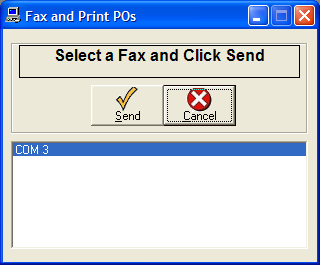
To fax directly to the manufacturers, click Inventory: Purchase Orders: Fax-Print POs. A "Fax and Print POs" form will appear. Click Send to fax and print
a hard copy of all POs that have not yet been printed.
Note: The Vendor Accounts database must be setup to Fax directly to the vendors.
That is where the fax numbers are stored.
After faxing, a fax confirmation page will print showing the status of each fax. The confirmation page will specify if the fax was successful or failed.